An app for tracking your work hours
Record your workdays, start and finish times and breaks with WorkIO, then check how much you've worked afterwards. Keep your own history on Android, iPhone or the Web without relying on notes, spreadsheets or manual calculations.
Log your hours today and check them whenever you need to.

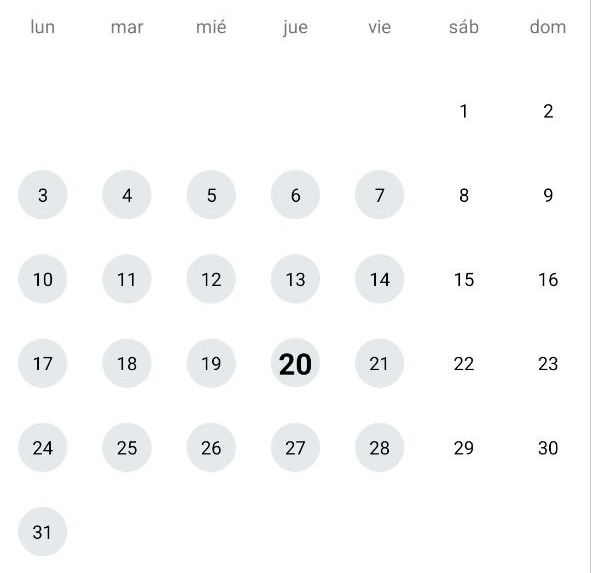
Your hours shouldn't depend on your memory
Trying to reconstruct at the end of the week when you started, how long you took for breaks, or when you finished is easy to forget and hard to verify. Recording your workdays as they happen lets you keep a clear history and check afterwards how much you actually worked.
-
No paper records
Stop relying on sheets, notes or scribbles that can get lost or fall out of date.
-
No scattered data
Keep your workdays together in one place instead of splitting them across calendars, notes and spreadsheets.
-
No spreadsheets
You don't need to build formulas every month to add up your workdays and breaks.
-
No adding it all up at month-end
Log your time throughout the month and check your hours afterwards without reconstructing every workday.
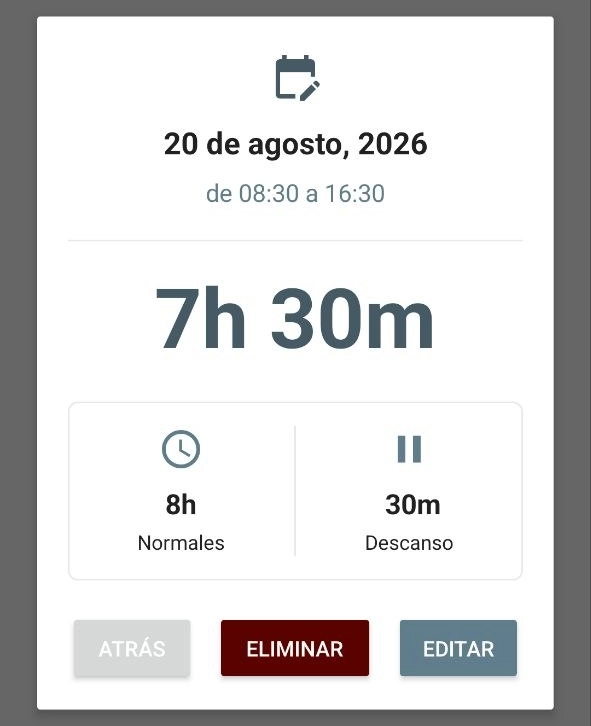
Record the workday when it ends
Add the start and finish times, indicate the relevant breaks, and save the workday to keep it in your history.
Depending on the version of WorkIO you use, you can log a full workday or use more flexible periods with different hour types.
You can then return to that information later from the calendar and the available workday views.

Use quick clocking when you need it
On Android Legacy, users with the premium option can start a quick clocking session, check the elapsed time, and finish or cancel it without having to log the workday manually from scratch.
Quick clocking is also available through the Android Legacy widget and syncs with the corresponding record inside the app.
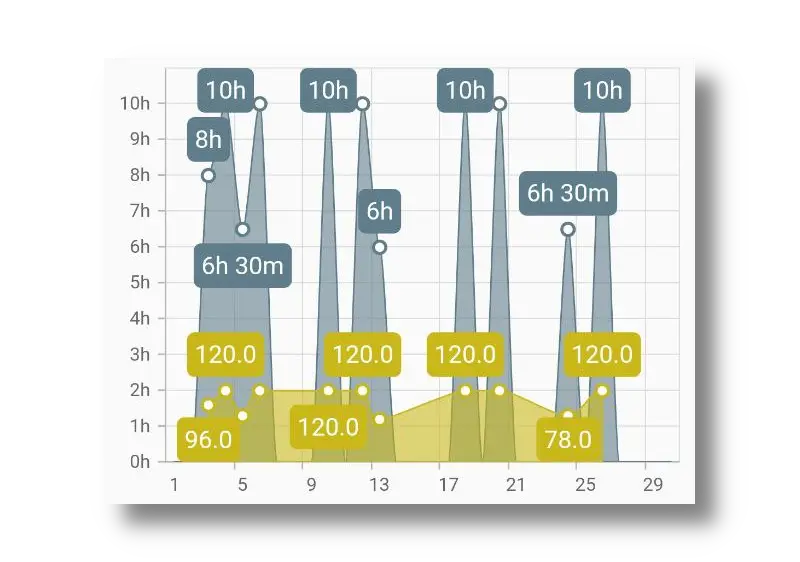
Review your history and statistics
Recording your hours is only useful if you can come back to them afterwards. WorkIO lets you check previous workdays and review how your hours evolve through the views available in each version.
You can use the calendar, workday lists and statistics to check how much you worked over different periods and spot changes in your routine.
The specific statistics available vary by platform: Android Legacy also includes annual statistics, while WorkIO Pro and Web offer other analysis views.
Looking for personal time tracking?
WorkIO is designed to help you log and review your own workdays. If you also want to better understand what personal time tracking involves and how it differs from a business system, you can check our time tracking guide.
Learn more about personal time tracking →Your workday ends. Your record stays saved.
Log your hours as you work and come back to them later without having to reconstruct from memory what you did each day. With WorkIO you can keep your history organized and check your workdays whenever you need to.
Choose the version that best fits how you work.
Tools for your work hours
If you only need to solve a one-off calculation, you can use one of our free tools. If you want to keep an ongoing record, WorkIO is built to accompany you day to day.
Frequently asked questions
We answer some common questions about recording your hours, the differences between WorkIO versions, and the options available on mobile and web.
Which app can I use to track my work hours? +
WorkIO is designed so you can record your own workdays and check afterwards how much you've worked. You can save start and finish times, breaks and other workday data depending on the version you use.
The app is available for Android and iPhone, and the WorkIO Pro ecosystem also gives access to a web version. This lets you choose between a simpler local record or a system synced across devices, depending on the version.
If you're looking for an app to keep your work history organized, you can get started with WorkIO on the platform you prefer.
How can I log the hours I work each day? +
The simplest way is to record each workday when it ends, or add it manually by entering the start time, finish time and the relevant breaks.
WorkIO keeps those workdays so you can check them later from the calendar and the available history views. In the Pro versions, the record can also be split into different periods and hour types.
If you only want to calculate a few specific hours without keeping a history, you can also use the work hours calculator .
Can I record breaks as well as worked hours? +
Yes. WorkIO lets you reflect breaks within the workday record.
On Android Legacy there's a specific field for entering the break. In WorkIO Pro, the system is more flexible and lets you use hour types, including break periods, alongside other custom types.
This helps distinguish the total time between clock-in and clock-out from the time you actually want to count as worked.
Can I check my previous workdays? +
Yes. One of the main advantages of using an app instead of doing one-off calculations is that you can keep a history.
WorkIO lets you go back to previous workdays through the calendar and the record views available on each platform. This way you can check which days you worked, review past schedules and see the hours accumulated over different periods.
Can I use WorkIO on mobile? +
Yes. WorkIO is available for Android and iPhone.
Android currently has a Legacy version that works locally and a Pro line with account-based sync. On iPhone, WorkIO Pro uses the cloud ecosystem to keep data synced.
Features can vary between versions, so it's worth choosing the one that best fits how you want to record your hours.
Can I use WorkIO on a computer? +
Yes. Users with an active WorkIO Pro subscription can access the web version to check and manage their workday information from the browser.
The web version lets you work with periods, check the monthly summary, review certain analysis views and export reports. Some features, like managing jobs or projects, are still done from the mobile apps.
Is WorkIO suitable for my own time tracking? +
Yes. WorkIO is designed mainly for the worker themselves to keep a record of their workdays, hours and breaks.
It's not an HR platform built to supervise employees or manage a workforce. Its goal is to help you keep your own history and check afterwards how much you've worked.
If you want to know more about the difference between personal and business time tracking, you can check WorkIO's time tracking page .
Do I need an account to use WorkIO? +
It depends on the version.
Android Legacy works locally and doesn't need an account to record workdays. WorkIO Pro uses an account to offer sync across compatible devices and access to the web ecosystem.
If you prefer a fully local setup, Android Legacy keeps data on the device. If you want sync and access from several devices, WorkIO Pro is built for that.
Track your hours with WorkIO
Record your workdays on mobile, check your data whenever you need to, and with WorkIO Pro, also access the web ecosystem.